360 Total Security Essential is positioned as a feature-rich, free antivirus solution, offering much more than just basic malware scanning. It appeals strongly to users who want an all-in-one suite combining security with PC optimization, but its core protection capabilities often lag behind industry leaders, making it a mixed bag for serious users.

The Good: Feature Overload and Optimization
The primary strength of 360 Total Security Essential lies in its vast set of bonus tools. It integrates security and system optimization features that often require separate downloads or premium subscriptions in competing products.
- System Optimization: The application includes Speedup and Cleanup utilities that effectively manage startup items, clean junk files, and free up disk space. Many users find these tools to be intuitive and effective for maintaining overall PC performance.
- Multiple Scan Engines: A major selling point is its use of a multi-engine approach, leveraging its own 360 Cloud Scan Engine alongside engines from respected industry names like Bitdefender (though the availability and configuration of these external engines can sometimes be confusing or require extra setup).
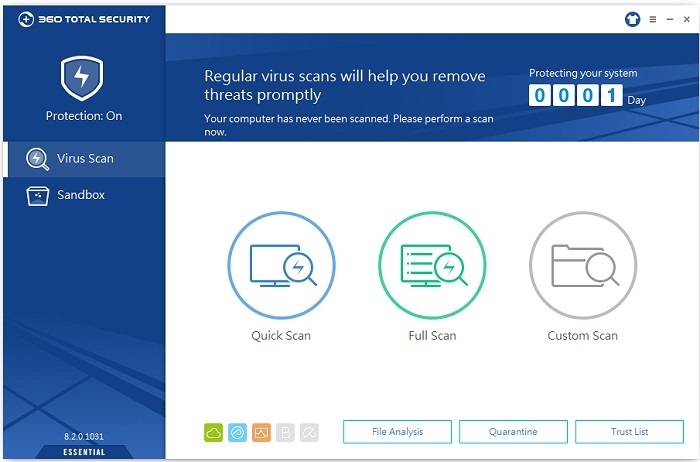
- User Experience: The user interface is generally considered clean, modern, and easy to navigate, making the plethora of features manageable for beginners. It also offers multiple protection modes (Performance, Balanced, Security) that allow users to customize how heavily the antivirus impacts system resources.
The Drawbacks: Core Protection and False Positives
While the extra features are nice, the most significant concerns center on the software’s fundamental purpose: protection.
- Malware Detection Rates: Independent lab tests and user reviews often show that 360 Total Security Essential has mediocre malware detection rates. It consistently falls short of top-tier competitors like Norton or Bitdefender, sometimes missing up to 10% of known malware samples. For many, a 100% detection rate for core security is non-negotiable, which puts 360 at a disadvantage.
- False Positives: The aggressive nature of its internal QVMII AI Engine sometimes results in a high number of false positives—flagging legitimate, safe files (like certain game launchers or non-malicious apps) as threats. This can be frustrating, especially for advanced users who have to constantly whitelist applications.
- Adware and Install Tactics: Some users report that the application can be quite pushy with ads or cross-promotions for other 360 products. In the past, there have been complaints about unsolicited installations of bundled browsers or tools, which raises concerns about user consent and privacy.
Verdict
360 Total Security Essential is a decent option for the casual Windows user who is primarily looking for a free tool to handle both light virus protection and PC cleanup in one place.
However, if your priority is ironclad, best-in-class malware and ransomware protection and you want to avoid irritating false positives, you are better off choosing a product with stronger, independently verified core security scores, even if it means sticking with basic Windows Defender or looking into other highly-rated free options. The “Essential” version provides a lot of “extras” but lacks the essential reliability of the best security tools available today.