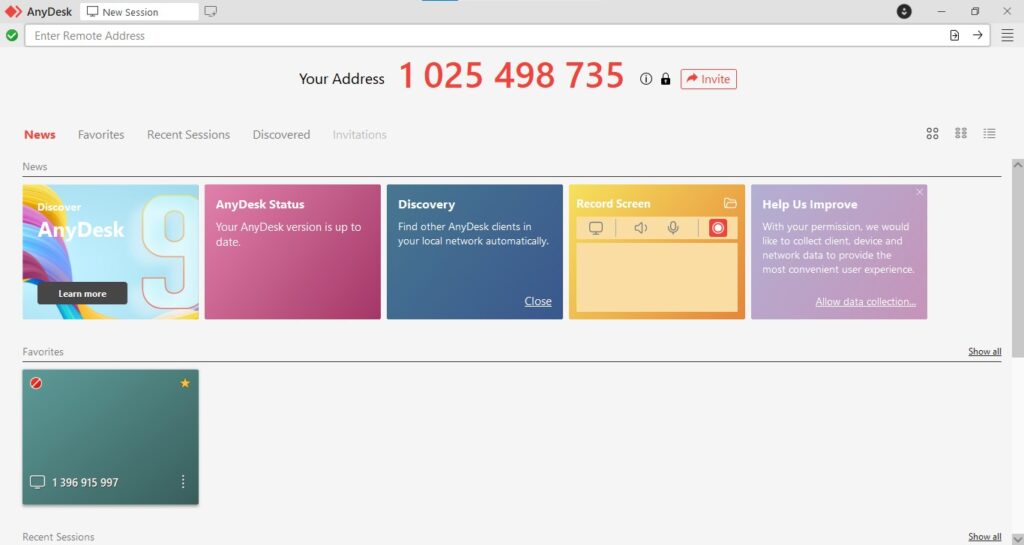
AnyDesk is a popular remote desktop software that enables fast, secure, and reliable remote access and control over computers and other devices. Developed by AnyDesk Software GmbH, it is designed to provide a lightweight yet powerful solution for remote work, IT support, and online collaboration.
Purpose and Overview
AnyDesk‘s core purpose is to facilitate seamless remote connections, allowing users to access and control a distant computer as if they were sitting right in front of it. It prioritizes speed and low latency, making it particularly well-suited for tasks that require quick responsiveness, such as graphic design, video editing, or gaming on a remote machine. It serves a wide range of users, from individuals needing to access their home PC to businesses providing remote technical support.
Key Features
- High Performance and Low Latency:
- AnyDesk boasts a proprietary video codec called “DeskRT,” which is optimized for fast data transmission and minimal latency. This results in a smooth and responsive remote desktop experience, even over slower internet connections.
- It’s designed to handle graphically intensive applications, making it suitable for designers, video editors, and even remote gaming.
- Remote Control and Access:
- Unattended Access: Set up permanent access to remote devices, allowing connections without human intervention on the remote side. This is ideal for server management or accessing personal computers from anywhere.
- On-Demand Support: Provide instant remote support by simply sharing a session ID and password, without requiring prior installation on the client’s side.
- Cross-Platform Compatibility: Available for a wide array of operating systems, including Windows, macOS, Linux, Android, iOS, FreeBSD, Raspberry Pi, and Chrome OS, ensuring broad connectivity.
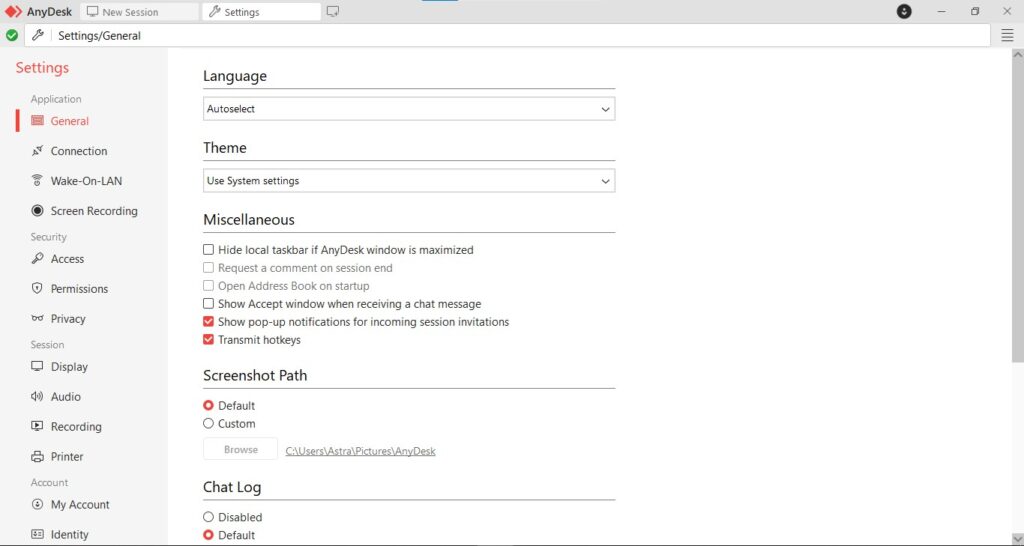
- File Transfer: Securely transfer files and folders between local and remote devices. AnyDesk offers a dedicated file manager for easy navigation and transfer of data.
- Session Recording: Record remote sessions for documentation, training, or compliance purposes. These recordings can be played back later.
- Security:
- TLS 1.2 Encryption: All connections are secured with industry-standard Transport Layer Security (TLS 1.2) technology.
- RSA 2048 Key Exchange: Utilizes RSA 2048-bit key exchange encryption for secure session establishment.
- Two-Factor Authentication (2FA): Enhance account security with 2FA.
- Access Control Lists: Configure permissions to restrict access to specific features (e.g., file transfer, remote printing) during a session.
- Whitelist: Define trusted devices that are allowed to connect.
- Collaboration Tools:
- Whiteboard: An interactive whiteboard allows for annotations and drawing during remote sessions, aiding in explanations and collaboration.
- Chat Functionality: Integrated text chat for communication during remote sessions.
- Customization and Branding: Paid versions allow for customization of the AnyDesk client with your company’s logo and branding, providing a professional appearance for support services.
Pros
- Exceptional Speed and Responsiveness: AnyDesk’s primary strength is its performance, offering a remarkably smooth and low-latency experience, even for demanding applications.
- Broad Cross-Platform Support: Its availability across numerous operating systems makes it highly versatile for connecting to almost any device.
- Lightweight and Portable: The client application is small in size and can be run as a portable executable, making it quick to download and use without full installation.
- Strong Security Features: Provides robust encryption and security options to protect remote sessions.
- Intuitive Interface: The user interface is clean, straightforward, and easy to navigate, even for new users.
- Affordable Pricing (compared to some competitors): Often considered a more budget-friendly option for commercial use compared to some other leading remote desktop solutions.
Cons
- Limited Free Version for Commercial Use: While a free version is available for personal use, AnyDesk is strict about detecting commercial use, and repeated commercial connections with the free version can lead to temporary blocks or prompts to purchase a license.
- Fewer Advanced Collaboration Features (compared to some competitors): While it offers basic chat and whiteboard, it may not have the extensive meeting and presentation features found in some other remote collaboration tools.
- Customer Support: Some users occasionally report issues with customer support responsiveness, particularly for free users.
- Potential for Misuse: Like all remote access tools, it can be misused if credentials are compromised, emphasizing the importance of strong passwords and 2FA.
Conclusion
AnyDesk is an outstanding remote desktop solution that truly excels in providing a fast, responsive, and secure remote connection. Its “DeskRT” codec sets it apart for performance, making it an excellent choice for tasks requiring high graphical fidelity or quick interactions. While its free version is strictly for personal use, its commercial licenses offer competitive pricing for businesses and IT professionals who prioritize speed, reliability, and cross-platform compatibility. For anyone seeking a powerful yet lightweight remote access tool, AnyDesk is a highly recommended option.