Malwarebytes Free is not designed to be your primary, always-on antivirus. Instead, it serves a critical and specialized role in the modern security landscape: it is a powerful on-demand scanner and cleaner used for second opinions and deep threat removal. It excels at finding and neutralizing threats that traditional anti-viruses might miss.
The Good: Focused Power and Effectiveness
Malwarebytes made its name by being exceptionally good at one thing: cleaning up existing infections.
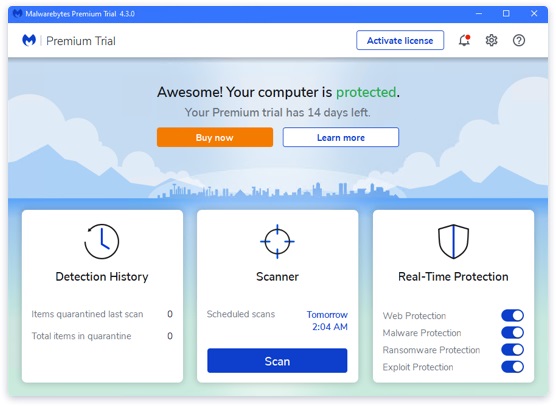
- Specialist in PUPs and Adware: While most antiviruses focus on viruses and Trojans, Malwarebytes is a master at detecting and removing Potentially Unwanted Programs (PUPs), browser hijackers, adware, and bloatware. These are the annoying, system-slowing pests that often slip past other security products.
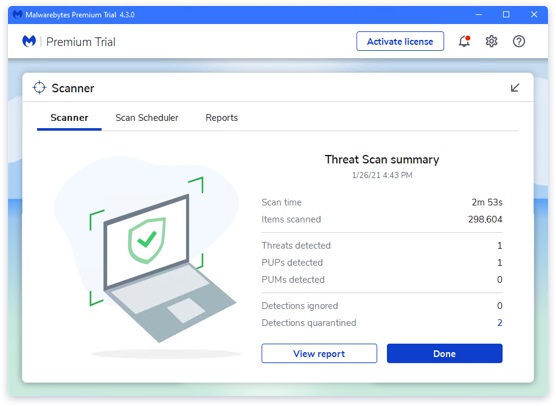
- Excellent Remediation: When a threat is found, Malwarebytes is highly effective at cleaning and repairing the system. It removes the infection thoroughly and often fixes related registry and file system changes, restoring your device to its pre-infection state.
- Perfect Second Opinion: Because it is designed to run alongside your primary antivirus (like Microsoft Defender), it avoids conflicts. It serves as an invaluable “second opinion” tool. If your main antivirus gives you the all-clear but your PC still feels sluggish or shows ads, running a Malwarebytes scan is the first thing experts recommend.
- Simple and Quick: The free version is extremely easy to install and use. The scan speeds are usually fast, and the interface is clean, free of clutter, and intuitive.
The Drawbacks: No Real-Time Protection
The biggest limitation of Malwarebytes Free is a fundamental design choice: it lacks real-time protection and active blocking.
- Manual Only: The free version is purely manual and on-demand. This means it will not block a malicious file the moment you download it, nor will it stop you from visiting a dangerous website. You must actively open the application and run a scan after you suspect an infection.
- No Core Antivirus Features: It does not include essential 24/7 protection layers like a Firewall, Web Protection, or Ransomware Protection. To get these crucial, preventative features, you must use the 14-day premium trial or purchase the paid version.
- Limited Scope: While it’s great at remediation, it is not a complete security suite. It’s meant to complement, not replace, a primary antivirus program. Relying on Malwarebytes Free alone leaves your computer dangerously exposed to new threats in real-time.
Verdict and Best Use Case
Malwarebytes Free is arguably the best “on-demand” malware cleaner available and is an absolute necessity in every tech toolkit.
It is not, however, a standalone replacement for a primary antivirus.
The ideal way to use Malwarebytes Free is in combination with a strong, integrated, real-time tool like Microsoft Defender Antivirus. Defender handles the 24/7 preventative defense, while Malwarebytes is kept on hand for those moments when you suspect a tricky infection, a browser hijacker, or persistent adware.
This combination gives you excellent, comprehensive protection without needing to pay for a premium security suite. Do you have any other security software you’d like me to review?