Panda Dome Free Antivirus consistently ranks as one of the best free security solutions available, primarily due to its cloud-based engine and inclusion of a free VPN. While its protection scores are generally excellent, the user experience can be slightly clunky, and its long scan times are notable drawbacks. It’s a fantastic choice for users who want strong, real-time protection without heavily taxing their system resources.
🛡️ Protection and Performance
Panda Free Antivirus is built on a cloud-based engine, which is its defining feature. This means that the heavy lifting of malware analysis is done on Panda’s remote servers rather than on your local machine, allowing the program to remain exceptionally lightweight—you’ll barely notice it running in the background.
- Malware Detection: Independent lab tests often give Panda very high marks for real-time protection (blocking threats while online), scoring in the high 90s, sometimes reaching 100% against zero-day threats. This is solid performance, though slightly less consistent than top-tier paid competitors like Bitdefender or Kaspersky.
- System Impact: Because it’s cloud-powered, Panda has a minimal impact on system performance during typical background use. This is a massive plus for older computers or users who prioritize speed.
- Scanning Speed: This is Panda’s main performance drawback. While quick scans are fast, a full system scan can take significantly longer than the industry average, sometimes stretching into several hours depending on your hard drive size.
✨ Standout Free Features
Panda Dome Free isn’t just a basic antivirus scanner; it includes valuable extra features that elevate it above many competitors:
- Free VPN (Virtual Private Network): This is the biggest bonus. Panda includes a free VPN, which is excellent for securing your connection when using public Wi-Fi. However, it is limited to 150 MB per day and restricts you to a single virtual location. It’s perfect for checking email securely but not for streaming or heavy downloading.
- USB Protection: The free version includes a feature that automatically scans USB drives when they are inserted, preventing malware from automatically executing and infecting your PC.
- Rescue Kit: This tool is crucial. It allows you to create a bootable USB drive that can be used to scan and clean severely infected PCs that won’t even start up normally.
- Process Monitor: This tool lets you see what applications are running and which ones are accessing the internet, highlighting any suspicious activity.
- Gaming/Multimedia Mode: This minimizes interruptions while you’re playing games or watching movies by temporarily pausing notifications and resource-intensive tasks.

👎 Downsides and Usability
While the protection is good, the user experience has a few common complaints:
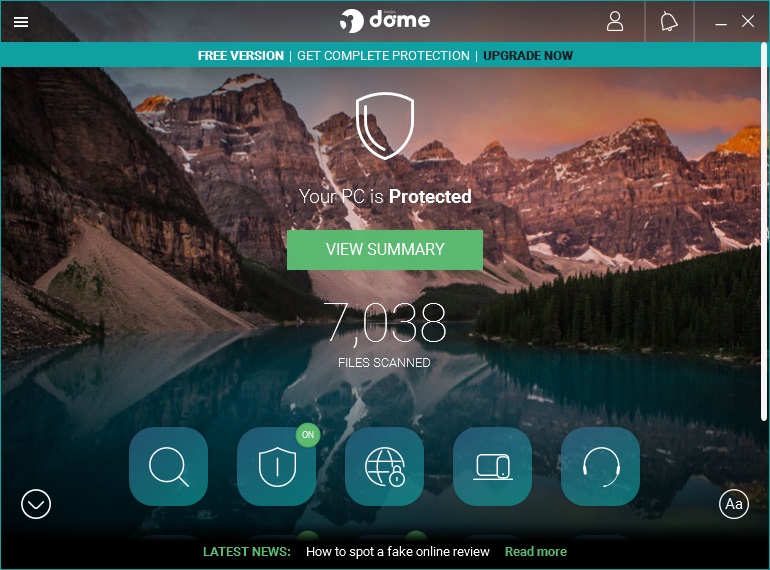
- Interface Clutter: The interface, which has a distinct desktop-style wallpaper background, is attractive but can feel cluttered. Functions are grouped somewhat illogically, requiring you to click around to find specific settings.
- False Positives: Panda has historically shown a tendency to flag legitimate files as malicious (false positives) more often than some top competitors. While this is better than missing a real threat, it can be annoying.
- Limited Firewall: The built-in firewall included in the free version is basic. While it’s functional, it doesn’t offer the deep configuration or advanced protection found in Windows Defender or premium antivirus firewalls.
🎯 The Verdict
Panda Dome Free Antivirus is an excellent, modern, and lightweight choice, especially if you need a free VPN for occasional secure browsing. Its cloud-based real-time scanning provides robust protection and its minimal impact on system speed is a major selling point.
If you can tolerate the slow full scans and the occasionally confusing interface, Panda Free offers better security extras than almost any other free antivirus program on the market. If you need full anti-ransomware protection or an unlimited VPN, you’ll need to upgrade to one of their paid “Dome” tiers.